Search your X (Twitter) likes by meaning.
Stop losing the tweets you actually saved.
Scroll back far enough and X simply stops loading your old likes. X Brain imports your whole archive and makes every saved tweet searchable by what it means, not the exact words.
Not ready to buy? Your X archive takes up to 24h to download. Drop your email and we’ll send a 2-minute guide to request it, then nudge you the moment it’s ready.
What is X Brain?
X Brain is an AI-powered search and knowledge base for your X (Twitter) likes. Upload your X data archive and X Brain makes every saved tweet searchable by meaning, automatically classifies it into categories, extracts key takeaways, and exports everything to Obsidian, Markdown, CSV, or JSON. It costs $4.99 once, with no subscription.
See it in action
From raw archive to searchable knowledge base in minutes.


Search by meaning,
not just keywords.
Vector embeddings of every tweet you’ve liked. Type what you’re looking for, get the tweets that match the idea, even if the words are completely different.
The single highest-leverage thing in your interview loop is the take-home. Optional, paid, scoped to 4 hours. Tells you more than any whiteboard ever will.
I optimize for slope, not intercept. Hire the person who’s grown the most in the last 2 years, not the one with the most years.
Stop asking for years of React experience. Ask them to ship something in an afternoon. The good ones do; the rest don’t.
Auto-classified
15 categories, 65+ subcategories. No manual tagging.
Extracted insights
Key takeaways, tools, and references pulled from every tweet.
Obsidian vault export
Download structured Markdown notes with frontmatter, tags, and index files.
Ask Claude directly
Built-in MCP server. Connect X Brain to Claude and ask about your own saved posts in chat.
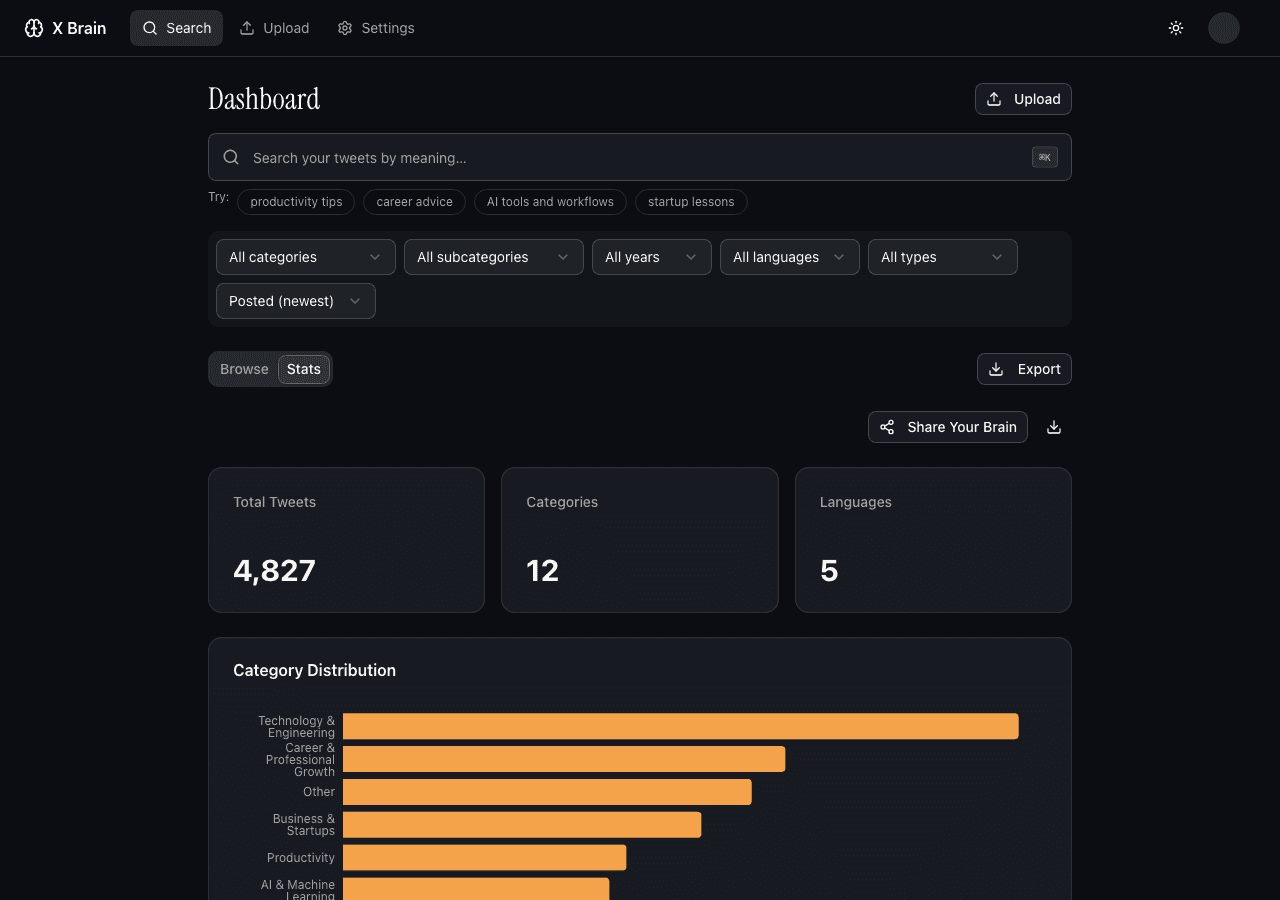
Knowledge stats
See what you've been learning, by category, over time.
Export anywhere
CSV, JSON, Markdown, or an Obsidian-ready vault. Your data stays yours.
No API keys needed
AI processing is built in. Bring your own Anthropic, OpenAI, or Gemini key if you prefer.
How it works
Export your X data
Go to Settings > Your Account > Download an archive of your data
Upload the ZIP
Drag & drop your archive. We extract and process your liked tweets.
Search & save
Browse by category, see stats, and export your knowledge to Obsidian or Markdown.
Your whole history, not just today’s saves.
Native X can’t search your likes, and most bookmark tools live inside a fragile browser extension with a monthly bill. X Brain takes a different path.
X’s own likes tab
No search. No categories. And once you scroll back far enough, your oldest likes simply stop loading - gone for good.
Generic bookmark tools
A browser extension that breaks when X ships a redesign, a recurring monthly fee, and a focus on the bookmarks you save going forward.
X Brain
Your entire archive - every like - imported in a single upload. Semantic search, automatic categories, and a clean Obsidian export. $4.99 once, no extension.
Questions, answered.
How do I get my X archive?+
Go to X Settings, then Your Account, then Download an archive of your data. X will email you when it is ready, usually within 24 hours.
Do I need my own API key?+
No. X Brain's built-in AI covers embeddings, search, classification and the first 10,000 key takeaways per account. Add your own OpenAI, Anthropic or Gemini key in Settings to lift that limit or to keep the AI calls on your own account; most archives use $1-3 of it.
Which AI providers does X Brain support?+
X Brain supports Anthropic (Claude), OpenAI (GPT), and Google (Gemini). You can switch providers anytime from Settings.
Is there a free tier for X Brain?+
Partly. Uploading and previewing your archive is free, and so is the X Archive Viewer at xbrain.live/tools/x-archive-viewer, which opens your archive in the browser and exports CSV or Markdown. Semantic search, AI categories and takeaways are a one-time $4.99 payment with no subscription. You own your data and can export everything anytime.
Can I save my X Brain into Obsidian?+
Yes. X Brain can export an Obsidian-ready vault ZIP with one Markdown note per saved X item, YAML frontmatter, tags, categories, topic notes, and index files.
Can I search my X likes from Claude?+
Yes. X Brain ships an MCP server, so you can connect it to Claude and ask about your own saved posts in conversation. Generate an MCP token in Settings, add the X Brain server to your Claude config, and Claude can run semantic search over your library, pull individual posts, and list your categories. Access is read-only and scoped to your own account.
What happens to my data in X Brain?+
Your data is stored in Supabase with row-level security, and any API keys you add are encrypted. We never sell it; tweet text goes only to the AI provider that processes it. You can delete your library from Settings at any time, or email us to delete your account.
Does X Brain work with likes in languages other than English?+
Yes. The embedding models are multilingual, so semantic search, classification and takeaways work across languages, and a library that mixes English with French, Spanish or Japanese is handled as one library. The language filter is coarse: it tells posts in the Latin alphabet apart from posts in other scripts such as Japanese, Arabic or Cyrillic, but it does not tell French from English. The X Brain interface itself is in English.
Can I upload multiple X archives?+
Yes, you can append new data to your existing library or replace it entirely.
How can I search through my old liked tweets from months or years ago?+
X does not offer native search for liked tweets. Your best options are downloading your X data archive and parsing it manually, or using a tool like X Brain that imports your archive and provides semantic search across all your liked tweets by meaning, not just keywords.
Can I organize my Twitter likes and bookmarks by topic automatically?+
Yes. X Brain uses AI to automatically classify your liked tweets into 15 categories and 65+ subcategories covering topics like career advice, engineering, finance, marketing, and more. No manual tagging required.
What tools exist to turn my Twitter bookmarks into a searchable knowledge base?+
Options range from manual approaches like Notion databases to dedicated tools. X Brain is purpose-built for this: it imports your X archive, indexes every liked tweet with vector embeddings, and lets you search by concept rather than exact keywords. One-time $4.99, no subscription.
How do I export and backup all my Twitter likes before they disappear?+
Go to X Settings, then Your Account, then Download an archive of your data. This gives you a ZIP file containing all your likes, bookmarks, and tweets in JSON format. Upload this archive to X Brain to make it searchable and organized.
Can I search my Twitter likes by keyword, username, or date?+
X natively does not support searching likes by keyword or date. X Brain solves this by letting you search all your liked tweets semantically, filter by category, subcategory, year, and language, and explore by auto-generated topic categories. Note that the X archive does not record who wrote a liked tweet, so no tool can filter your likes by author without paid X API lookups.
Not ready yet? Stay in the loop.
Get the occasional note on new features, launch updates, and tips for taming your X archive. No spam, unsubscribe anytime.
Your liked tweets are waiting.
One-time $4.99. 30-day refund if it’s not useful. No subscription, ever.
Not sure yet? Read how it works